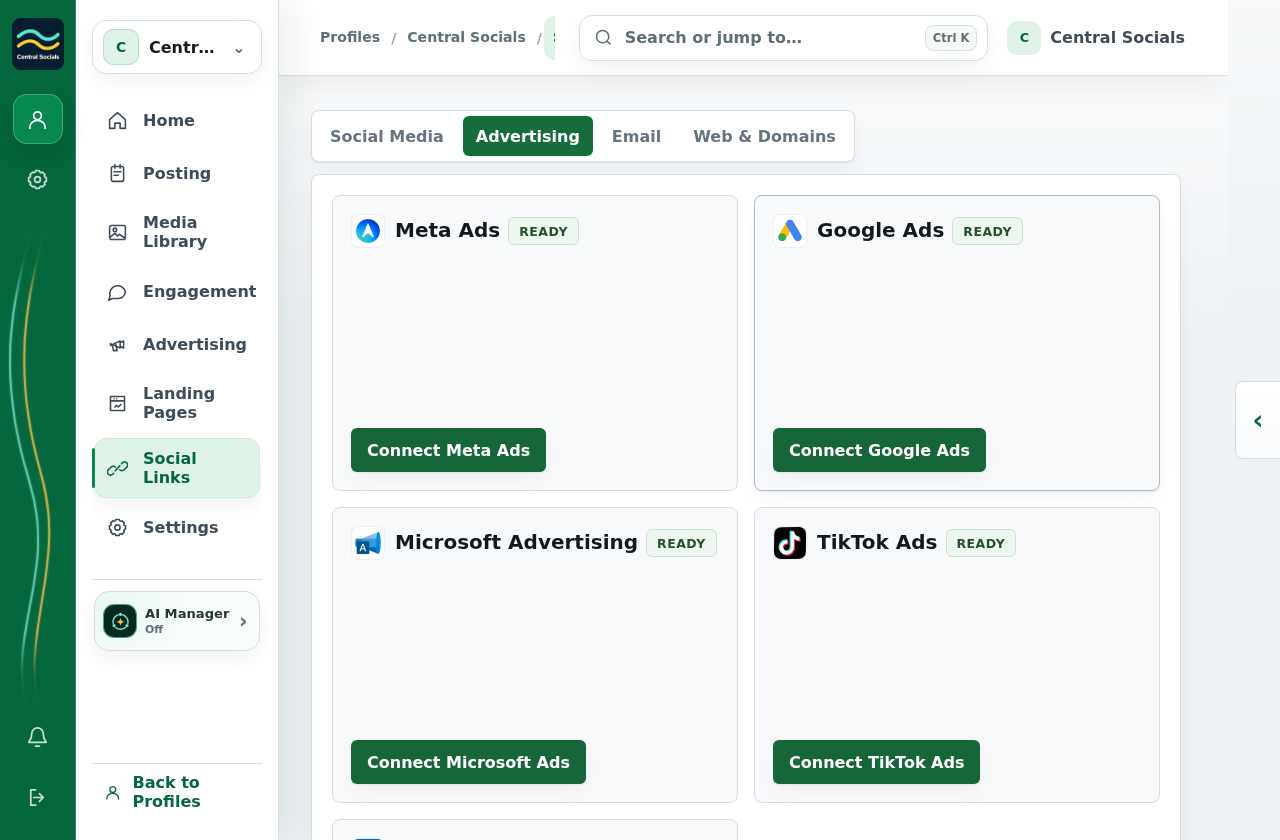
Open Social Links → Advertising and connect an advertising account if the campaign needs one.
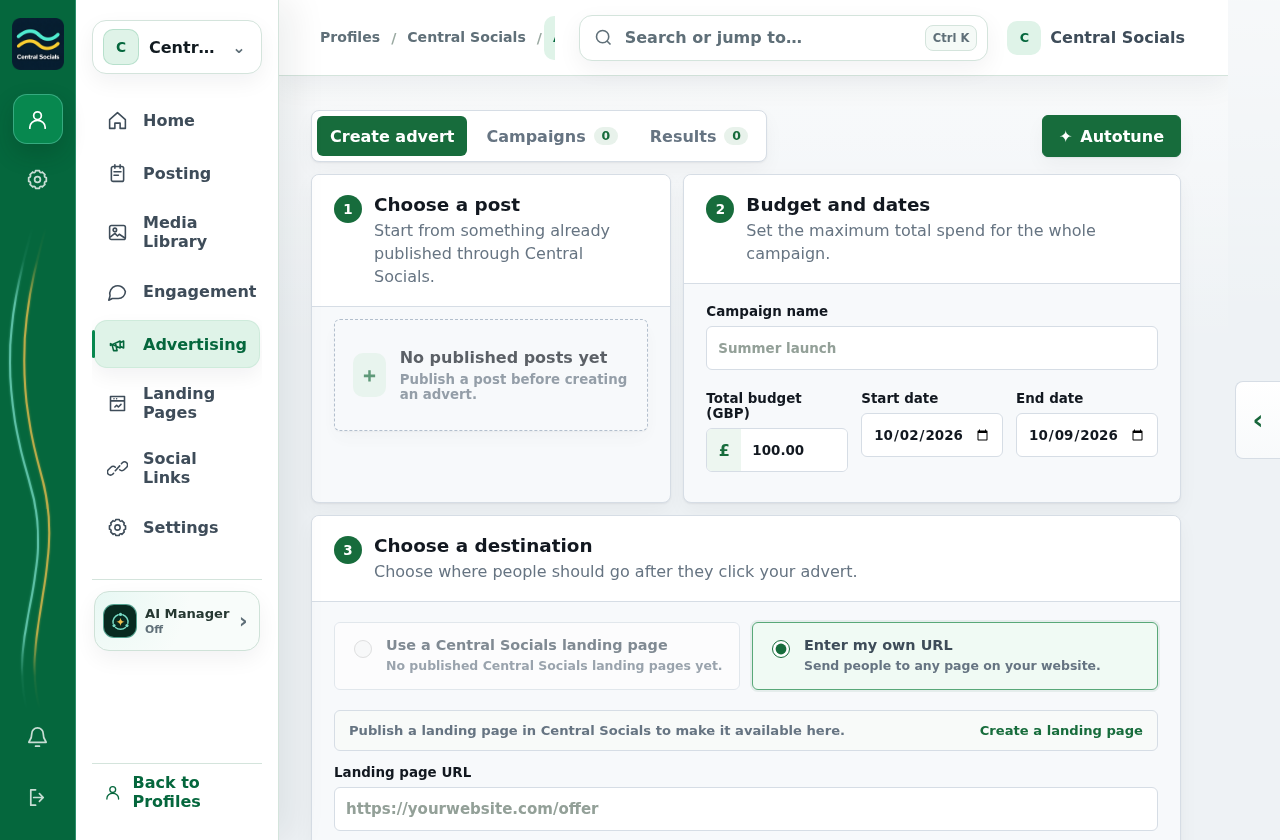
Open Advertising → Create advert and complete the campaign fields.
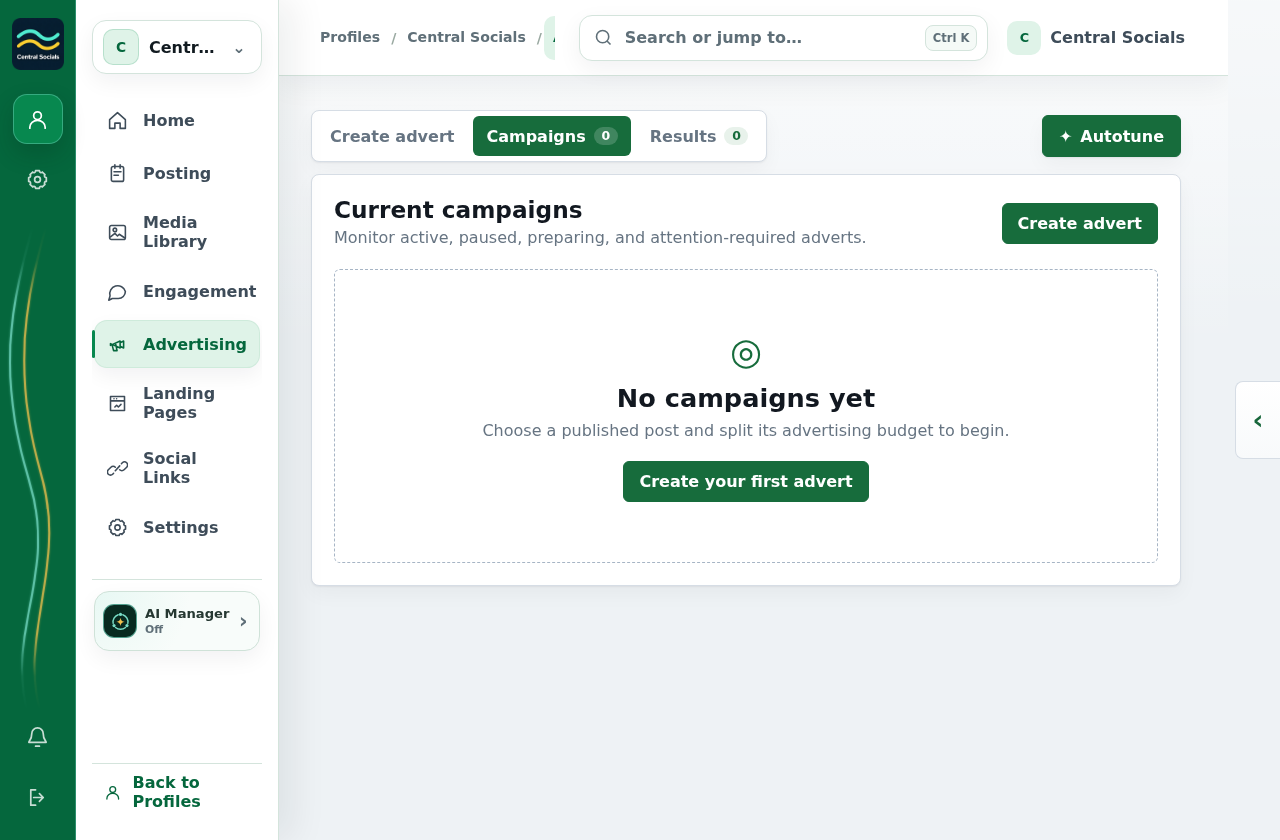
Review the campaign in Advertising → Campaigns; open Results for performance.
Step 1 Advertising account connections are listed under Social Links.Tap the screenshot to view it full size.Step 2 Create advert shows the post, budget, dates, and destination fields.Tap the screenshot to view it full size.Step 3 Campaigns is where saved adverts appear; this profile has none.Tap the screenshot to view it full size.Walkthrough: move between Create advert, Campaigns, and Results without saving.